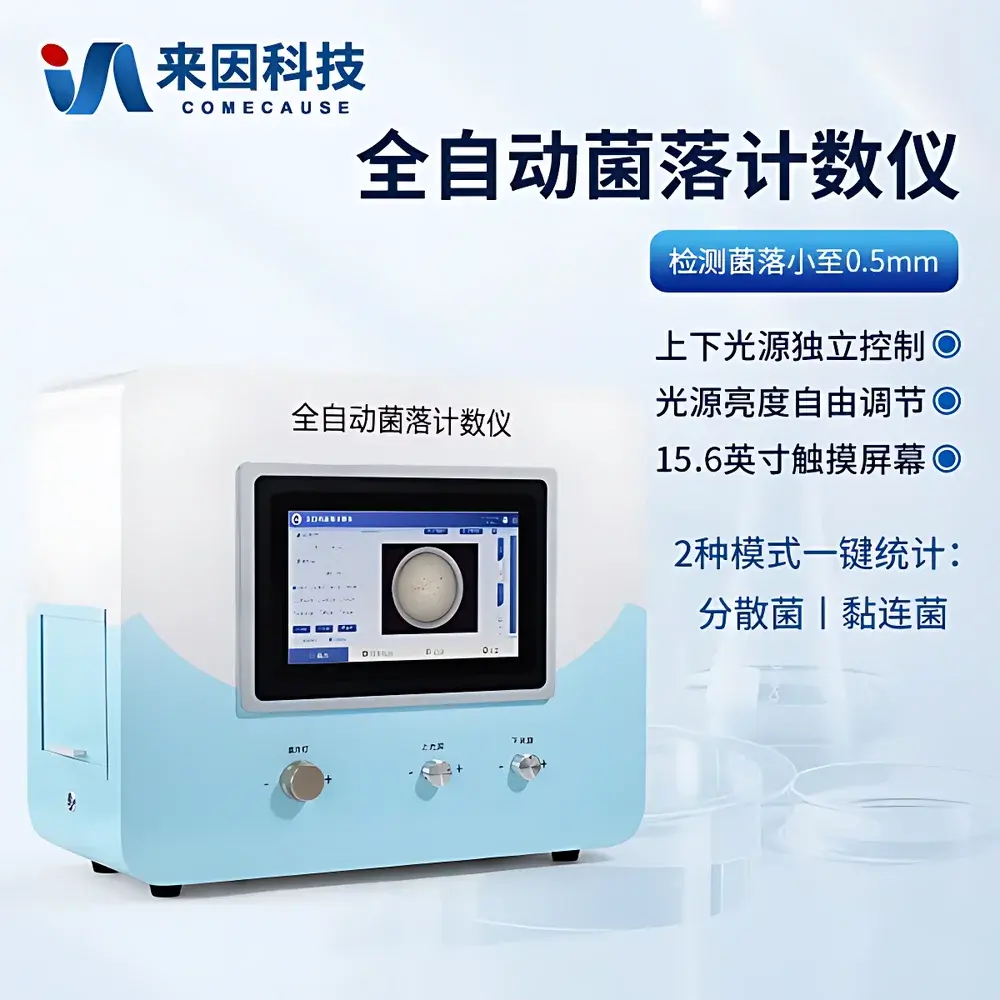
COMECAUSE IN-J100 Automated Colony Counter
| Brand | COMECAUSE |
|---|---|
| Model | IN-J100 |
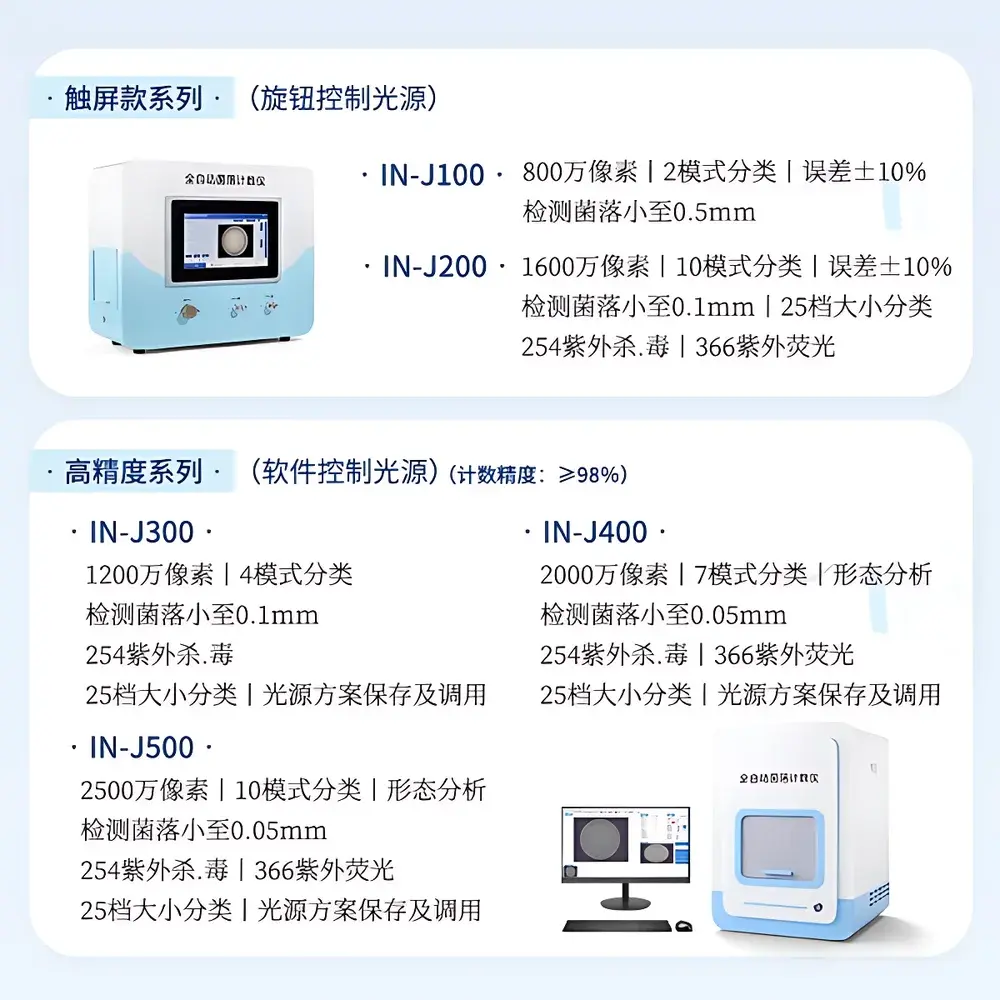
| Imaging Sensor | 8 MP color CMOS camera |
| Minimum Detectable Colony Size | 0.5 mm |
| Counting Accuracy | ±10% |
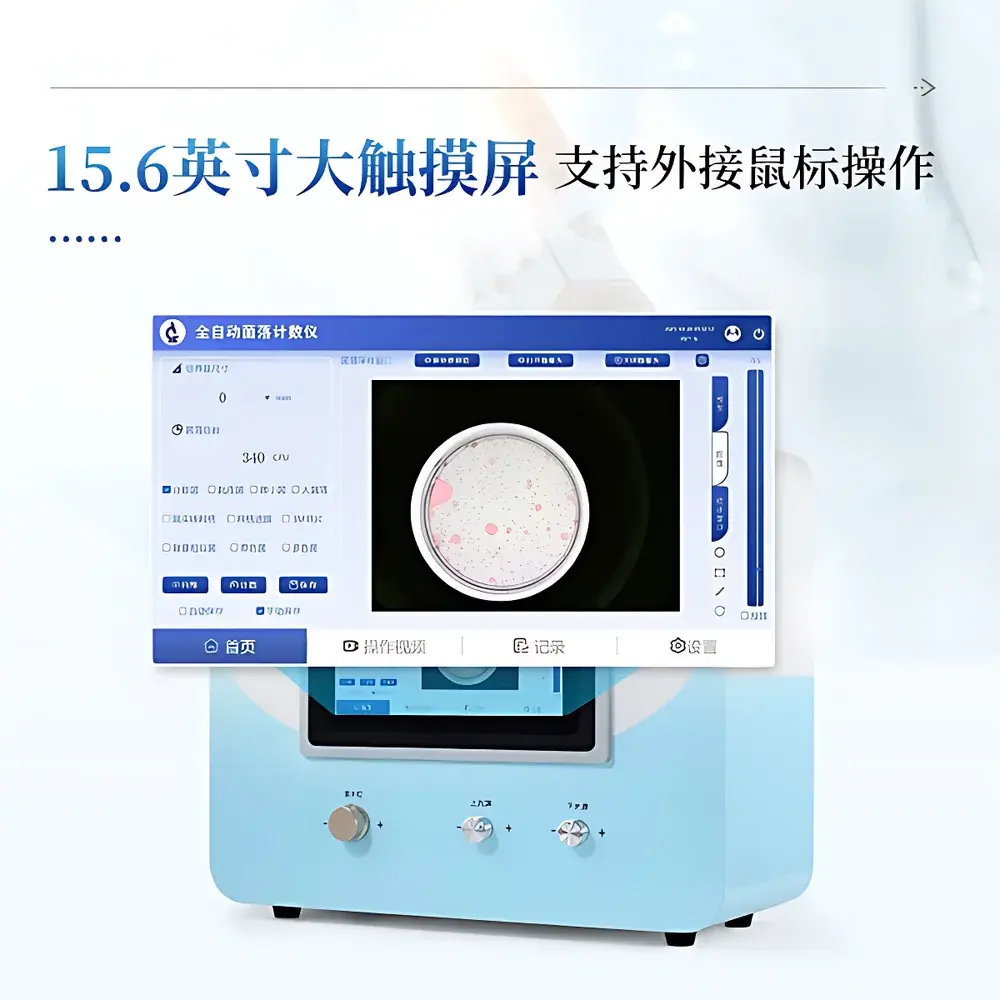
| Integrated Display | 15.6″ Full HD (1920×1080) touchscreen |
| OS | Windows 10 Pro 64-bit |
| Storage | 256 GB SSD |
| Calibration | Factory-preconfigured auto-calibration based on optical parameters (lens focal length, working distance, sensor resolution) |
| Data Export | PDF reports with immutable raw image archive |
| User Management | Multi-user login with isolated data partitions |
| Language Support | Switchable English/Chinese UI |
Overview
The COMECAUSE IN-J100 Automated Colony Counter is an integrated digital imaging system engineered for precise, reproducible enumeration of microbial colonies on standard Petri dishes (90 mm and 150 mm). It operates on the principle of high-contrast digital image acquisition followed by adaptive threshold-based segmentation and morphological analysis—enabling objective, operator-independent colony quantification without manual intervention. Designed for compliance-critical environments, the IN-J100 eliminates subjective visual counting bias and inter-operator variability, making it suitable for routine quality control in pharmaceutical manufacturing (in accordance with USP <61>, ISO 4833-1:2013), food safety testing (ISO 4833-2:2013), cosmetic microbiology (ISO 17516:2014), and environmental monitoring workflows. Its fully enclosed dark chamber architecture ensures stable illumination conditions, minimizing ambient light interference and enhancing measurement repeatability across shifts and laboratories.
Key Features
- 8-megapixel color CMOS imaging system with fixed-focus lens optimized for Petri dish flat-field geometry—delivering consistent resolution across the entire field of view.
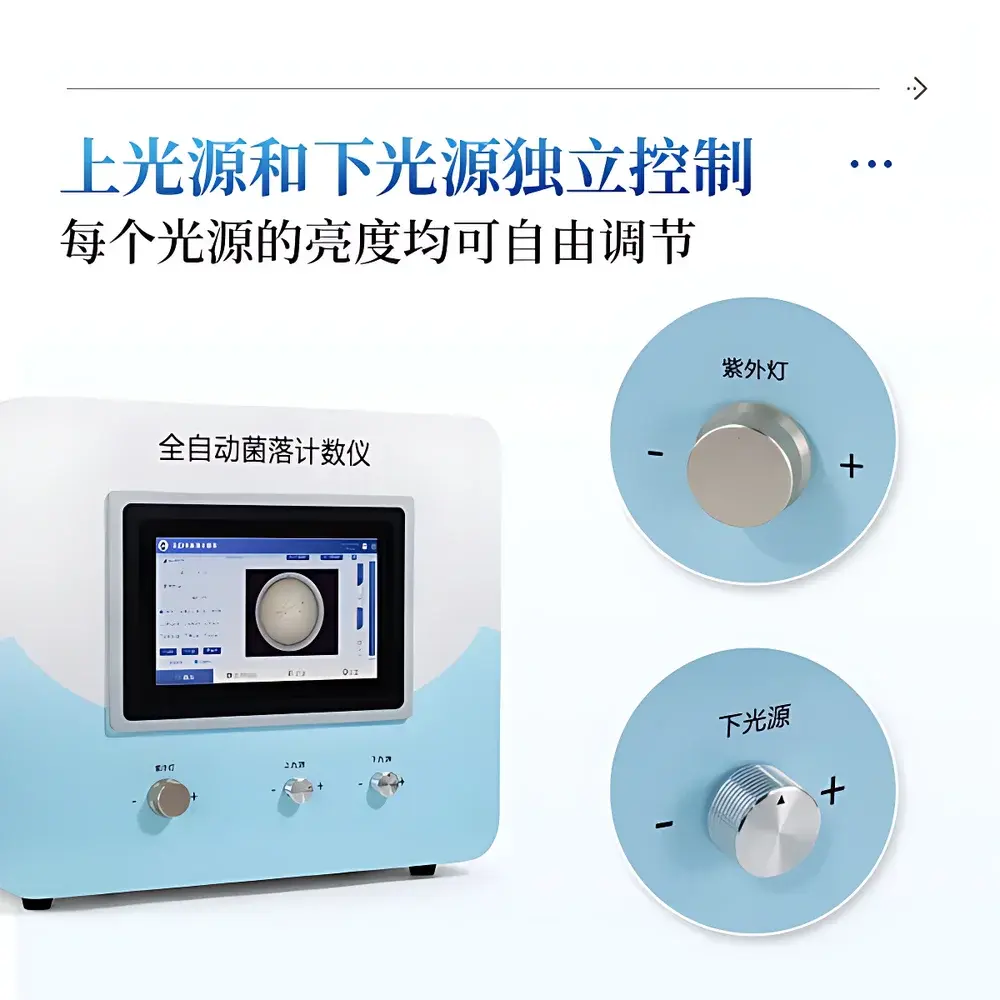
- Dual independent illumination subsystem: top-mounted diffuse LED ring and bottom-transmitted LED panel, each controllable via analog rotary dials for fine-tuned brightness adjustment and mode selection (top-only, bottom-only, or dual illumination).
- Integrated 15.6-inch capacitive touchscreen display (1920×1080) running Windows 10 Pro 64-bit with 256 GB onboard SSD—eliminating dependency on external PCs and reducing system footprint.
- Automated calibration protocol embedded at firmware level: leverages pre-programmed optical parameters (focal length, working distance, pixel pitch) to derive µm/pixel scaling factor—no user-performed calibration required under normal operating conditions.
- Two-tier counting algorithm suite: “Dispersed Colony Mode” applies edge-detection and watershed segmentation for well-isolated colonies; “Aggregated Colony Mode” uses adaptive local thresholding and region-growing logic to resolve partially fused or low-contrast colonies on uniform backgrounds.
- Post-processing correction tools include dynamic threshold slider, freehand ROI drawing, circular/rectangular masking, and pixel-level brush editing—supporting GLP-aligned traceability and method validation documentation.
Sample Compatibility & Compliance
The IN-J100 accommodates standard polystyrene, glass, and agar-filled Petri dishes (90 mm and 150 mm diameters) with or without grid markings. It supports both aerobic and anaerobic culture plates—including chromogenic, selective, and differential media (e.g., TSA, PCA, VRBA, CHROMagar™). The system meets functional requirements outlined in ISO/IEC 17025:2017 for test method validation and supports audit-ready data integrity through built-in features: time-stamped multi-user login, role-based access control, immutable raw image archiving, and PDF report generation with embedded metadata (date/time, operator ID, plate ID, analysis parameters). While not certified to IEC 61010-1 or FDA 21 CFR Part 11 out-of-the-box, its architecture permits configuration for 21 CFR Part 11 compliance when deployed with validated IT infrastructure and documented SOPs.
Software & Data Management
The proprietary colony analysis software provides a secure, self-contained environment for assay execution and data governance. Each user account maintains segregated project folders containing original TIFF/JPEG images, processed binary masks, count logs, and annotated PDF reports. All exported reports embed cryptographic hash values for raw image integrity verification. Data retention policies are configurable per institution; default settings enforce permanent archival of source imagery alongside analytical outputs. The interface supports bilingual operation (English/Chinese) with one-click language switching—facilitating international lab collaborations and multilingual staff training. No cloud connectivity is enabled by default; network export functions (USB, LAN) require explicit administrator authorization.
Applications
- Pharmaceutical QC labs performing microbial limits testing per USP <61> and <62>, including sterility test membrane filtration colony enumeration.
- FDA-regulated food processing facilities conducting total viable count (TVC), coliform, and pathogen screening per Bacteriological Analytical Manual (BAM) protocols.
- Cosmetic product stability studies requiring ISO 17516-compliant preservative efficacy testing (PET) colony enumeration.
- Environmental monitoring programs in cleanrooms (ISO 14644-1 Class 5–8) tracking airborne and surface bioburden trends over time.
- Academic microbiology teaching labs where standardized, repeatable counting methodology supports student learning outcomes assessment.
FAQ
Does the IN-J100 require periodic recalibration?
No—factory-configured optical parameters enable automatic spatial calibration during startup. Recalibration is only necessary if the lens assembly is physically replaced or the instrument undergoes major mechanical servicing.
Can the system distinguish between viable and non-viable colonies?
No. The IN-J100 performs morphological enumeration only. Viability determination requires complementary methods such as staining (e.g., resazurin), metabolic assays, or subculturing.
Is raw image data editable after PDF report generation?
No. Original acquisition files are write-protected upon saving. Only annotation layers and measurement overlays may be modified prior to final export.
What file formats does the software support for data import/export?
Input: Standard JPEG, PNG, and TIFF (8/16-bit). Output: PDF (with embedded metadata), CSV (count tables), and ZIP archives containing raw images + analysis logs.
How is user accountability maintained across multiple operators?
Each login session records operator ID, timestamp, plate ID, and applied analysis parameters. Audit trails are exportable as encrypted CSV and comply with ALCOA+ principles when used within a validated QMS framework.