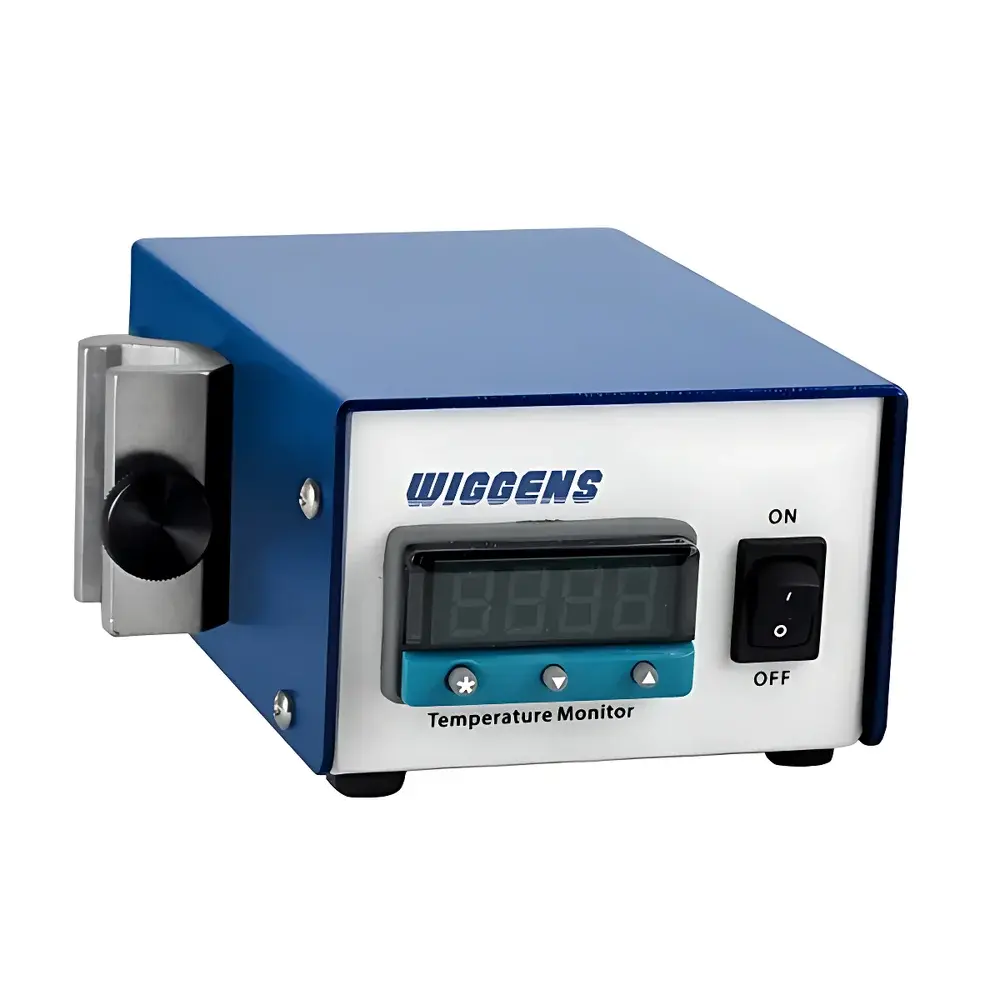
WIGGENS DM230 Digital Temperature Monitor
| Brand | WIGGENS |
|---|---|
| Origin | Germany |
| Model | DM230 |
| Temperature Range (DM230-K) | -50 to +1200 °C |
| Temperature Range (DM230-J) | 0 to +800 °C |
| Temperature Range (DM230-T) | -200 to +250 °C |
| Thermocouple Types | K, J, T |
| Interface | USB 2.0 |
| Display | High-brightness LED |
| Dimensions (H×W×D) | 138.0 × 63.5 × 95.0 mm |
| Software | WIGGENS PC Data Monitoring Software (GLP/GMP-compliant) |
| Compliance | Supports audit trail, time-stamped data logging, and electronic record integrity per FDA 21 CFR Part 11 requirements |
Overview
The WIGGENS DM230 Digital Temperature Monitor is a compact, laboratory-grade temperature surveillance instrument engineered for continuous, real-time monitoring and precise digital readout of thermal conditions in critical process and storage environments. Utilizing industry-standard thermocouple inputs (K-, J-, or T-type), the DM230 converts analog thermoelectric voltage signals into calibrated temperature values with high linearity and long-term stability. Its measurement architecture adheres to IEC 60584-1 (thermocouple reference tables) and NIST-traceable calibration principles, ensuring metrological consistency across operating ranges. Designed for integration into validation workflows, cold chain verification, incubator/oven qualification, and stability chamber monitoring, the DM230 delivers reliable, traceable temperature data without requiring external signal conditioners or isolators. The device operates as a standalone monitor with local visual feedback or functions as a node in a distributed environmental monitoring system when connected via USB to a host PC.
Key Features
- High-brightness LED display (13.2 mm digit height) optimized for legibility at distances up to 3 meters under ambient lab lighting
- Triple thermocouple compatibility: user-selectable K-type (-50 to +1200 °C), J-type (0 to +800 °C), or T-type (-200 to +250 °C) input channels
- USB 2.0 interface compliant with USB-IF specifications; no external power adapter required—bus-powered operation
- Real-time clock (RTC) with battery-backed memory ensures accurate time stamping of all logged measurements
- Rugged ABS housing with IP20-rated enclosure; designed for benchtop, wall-mount, or panel-integrated deployment
- Zero-drift analog front-end with 16-bit ADC resolution and auto-ranging gain control for improved low-signal fidelity
Sample Compatibility & Compliance
The DM230 does not perform direct sample analysis but interfaces with standard industrial and laboratory thermocouples conforming to ASTM E230/E230M and IEC 60584. It supports direct connection to thermocouple probes used in autoclaves, refrigerated warehouses, pharmaceutical stability chambers, bioreactors, and environmental test chambers. All firmware and software components comply with Good Laboratory Practice (GLP) and Good Manufacturing Practice (GMP) documentation requirements. The included WIGGENS PC Data Monitoring Software provides electronic signatures, user access controls, configurable alarm thresholds, and immutable audit trails—including operator ID, timestamp, parameter change history, and data export logs. The system meets essential criteria for FDA 21 CFR Part 11 compliance when deployed with appropriate organizational SOPs and IT infrastructure controls.
Software & Data Management
The WIGGENS PC Data Monitoring Software is a Windows-based application that establishes bidirectional communication with the DM230 via USB. It enables scheduled or continuous data acquisition with user-defined sampling intervals (1 second to 24 hours). Raw temperature and timestamp pairs are stored in encrypted binary files (.wlg), with optional CSV export for third-party statistical analysis (e.g., JMP, Minitab, Python pandas). The software implements role-based access control (RBAC), session locking, and automatic backup to network drives. Each data record includes metadata such as instrument serial number, thermocouple type, calibration date, and firmware version—ensuring full data provenance. Audit log entries capture every configuration change, manual override, or export event, satisfying regulatory expectations for data integrity in regulated industries.
Applications
- Pharmaceutical stability testing per ICH Q1 guidelines, where continuous temperature logging in ICH zones (25 °C/60% RH, 30 °C/65% RH, etc.) is mandatory
- Validation of sterilization cycles in steam autoclaves and dry-heat ovens using K-type thermocouples
- Monitoring of ultra-low temperature freezers (-80 °C) and liquid nitrogen storage dewars using T-type sensors
- Environmental qualification of cleanrooms and controlled temperature rooms per ISO 14644-3 and EU GMP Annex 15
- Thermal profiling during lyophilization cycle development and freeze-drying equipment mapping
- Calibration laboratory reference monitoring for thermocouple calibration baths and dry-well calibrators
FAQ
Does the DM230 support multiple thermocouple types simultaneously?
No—the DM230 is configured for a single thermocouple type (K, J, or T) at setup; hardware switching requires model-specific firmware selection during initial commissioning.
Is external calibration required before first use?
The unit ships with factory calibration certificates traceable to national standards; however, users must perform periodic verification against a certified reference thermometer per internal quality procedures.
Can the software generate PDF reports compliant with 21 CFR Part 11?
Yes—the software supports digitally signed, tamper-evident PDF report generation with embedded audit trail summaries and electronic signature fields.
What is the maximum logging duration with internal memory?
The DM230 does not include internal data storage; all logging occurs in real time on the connected PC—duration is limited only by available disk space and OS permissions.
Is the USB interface isolated for use in electrically noisy environments?
The USB port is non-isolated; for applications involving high-voltage equipment or ground-loop-prone setups, use of an optically isolated USB-to-serial converter is recommended.